Table of Contents
Connect HelpDocs to Claude
Connect Claude to HelpDocs via MCP to read and manage Knowledge Base content. Three-step setup, configure permissions for read/write actions, control what Claude can do automatically or with your approval.

Table of Contents
Model Context Protocol (MCP) lets you connect Claude to your HelpDocs account so it can read, search, and work with your Knowledge Base content directly. This guide shows you how to set up the connection with Claude and what you can do with it.
What is MCP? 🤔
MCP (Model Context Protocol) is a way for AI assistants like ChatGPT to connect to external tools and data sources. It gives ChatGPT the ability to interact with your HelpDocs content in real-time. Learn more about it in our article over here.
Connecting Claude to HelpDocs MCP

- Click here to head to the HelpDocs connector listing or search for HelpDocs in the directory
- Click Connect for your team
Follow the authorization flow. This connector uses OAuth to read and write to your knowledge base.
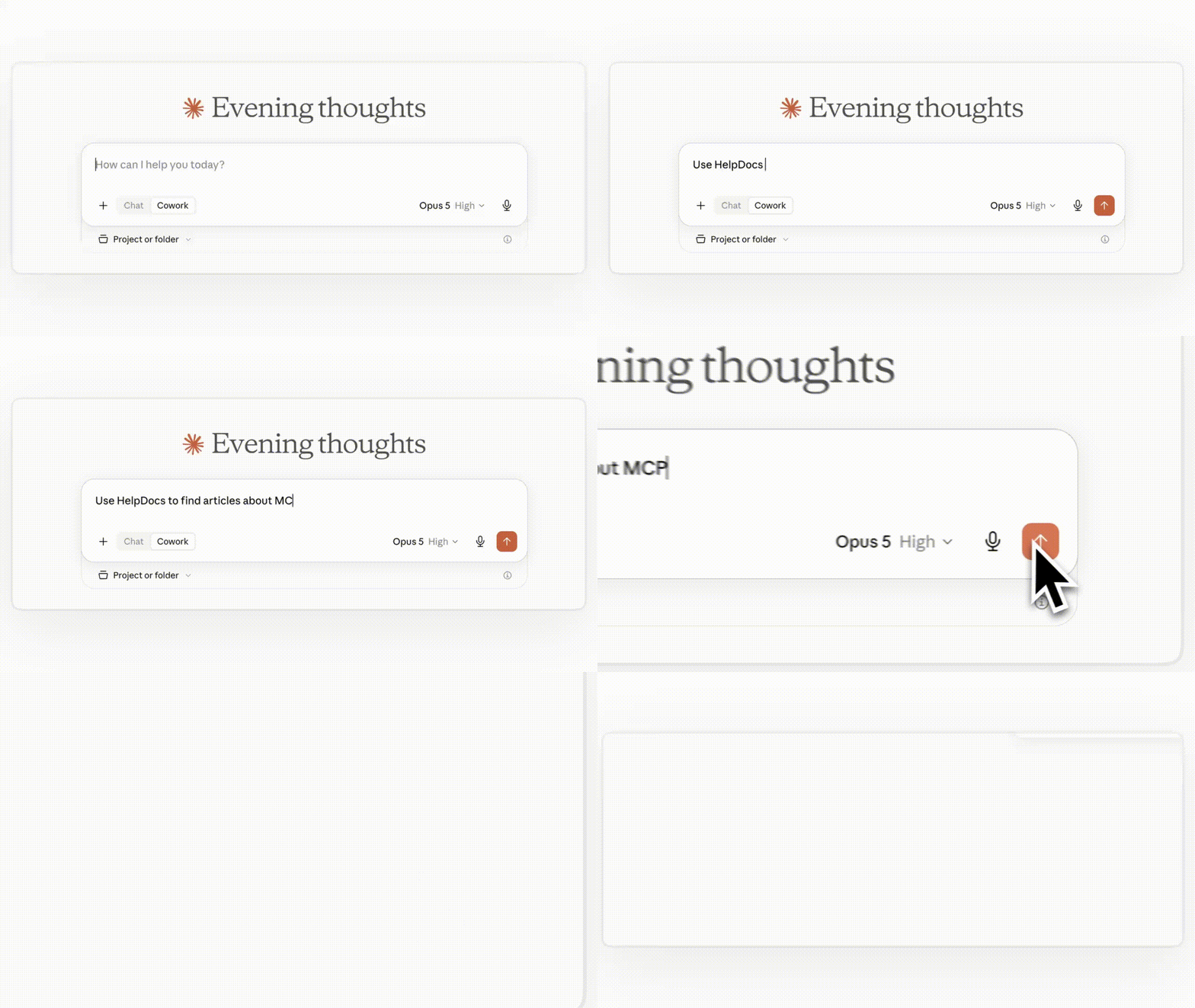
Once you've added the connector, Claude will be able to access your Knowledge Base content whenever you're chatting with it. Just ask to use HelpDocs 🙌
Setting Up Tool Permissions
You can control exactly what Claude is allowed to do with your HelpDocs content. This lets you decide which actions happen automatically, which need your approval first, and which aren't allowed at all.
To configure permissions:
- Click on the HelpDocs connector in Claude
- Head to Tool permissions
- Set your preferences for each action
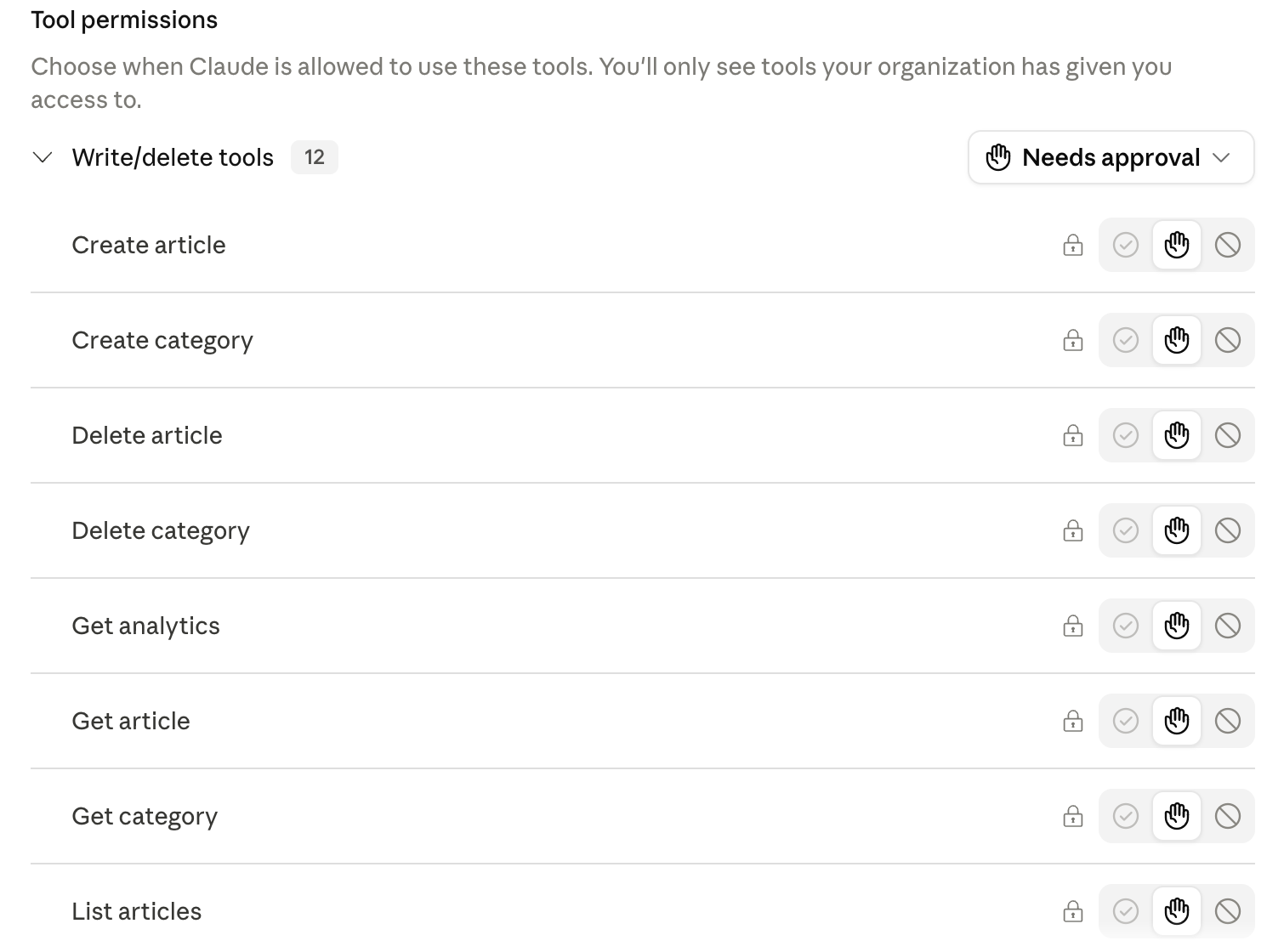
You can choose from three permission levels:
- Automatic: Claude can perform the action without asking
- Manual approval: Claude will ask for your permission before doing it
- Not allowed: Claude can't perform this action at all
Actions Available to Claude
Here's everything the connector can do, grouped by what you'd use it for. Read actions only look at your content. Write actions change it, so those are the ones worth setting to manual approval.
What you want to do | Actions | Read or write |
Search and read your content |
| Read |
See how your content is performing |
| Read |
Check who has access to what |
| Read |
Draft something new |
| Write |
Edit content you already have |
| Write |
Push edits live |
| Write |
Remove content |
| Write |
Recover something deleted |
| Read and write |
What did you think of this doc?
Connect HelpDocs to ChatGPT
Using an API Key with HelpDocs MCP
