

The HelpDocs plugin for ChatGPT connects ChatGPT to your HelpDocs account so it can read, search, and work with your Knowledge Base content directly. It runs on Model Context Protocol (MCP). This guide shows you how to add the plugin and start using it.
On a ChatGPT Business or Enterprise plan, a workspace admin may need to allow the plugin before you can add it.
What is MCP? 🤔
MCP (Model Context Protocol) is a way for AI assistants like ChatGPT to connect to external tools and data sources. It gives ChatGPT the ability to interact with your HelpDocs content in real-time. Learn more about it in our article over here.
Connecting ChatGPT to HelpDocs
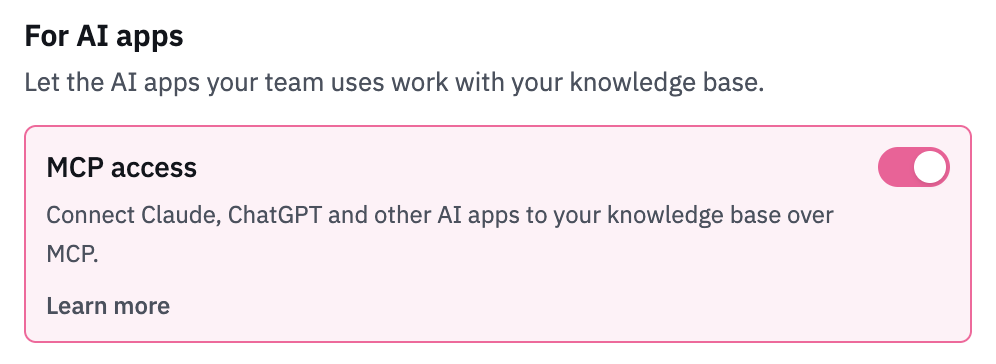
Enable MCP in your HelpDocs settings
- Head to Settings > AI (or click here)
- Under For AI apps, turn on MCP access
- Click Save changes
Add the HelpDocs plugin in ChatGPT
- Open the HelpDocs plugin in ChatGPT
- Click Connect
- Sign in to HelpDocs and approve access when asked
Start using HelpDocs in ChatGPT
- Start a new chat, click the + button, and select HelpDocs
- Ask ChatGPT to search your articles, check what you've covered, or draft a new article
Set up HelpDocs in ChatGPT's Developer mode before? The plugin replaces that custom app. Once the plugin works, remove the old HelpDocs app under Settings → Apps so it doesn't show up twice.