

Machine translations help you expand your business to multiple regions and provide help to people who speak different languages.
We use a credit system to help you keep track of the number of machine translations you use. Depending on your plan, you'll get a certain number of machine translation credits that renew monthly 📆
Articles containing approximately 2,000 words or more cannot be machine translated.
The included monthly credits don't roll over to the next month, but extra credits purchased separately do.
Finding Your Machine Translation Credit Count
You can check your remaining credits in two ways:
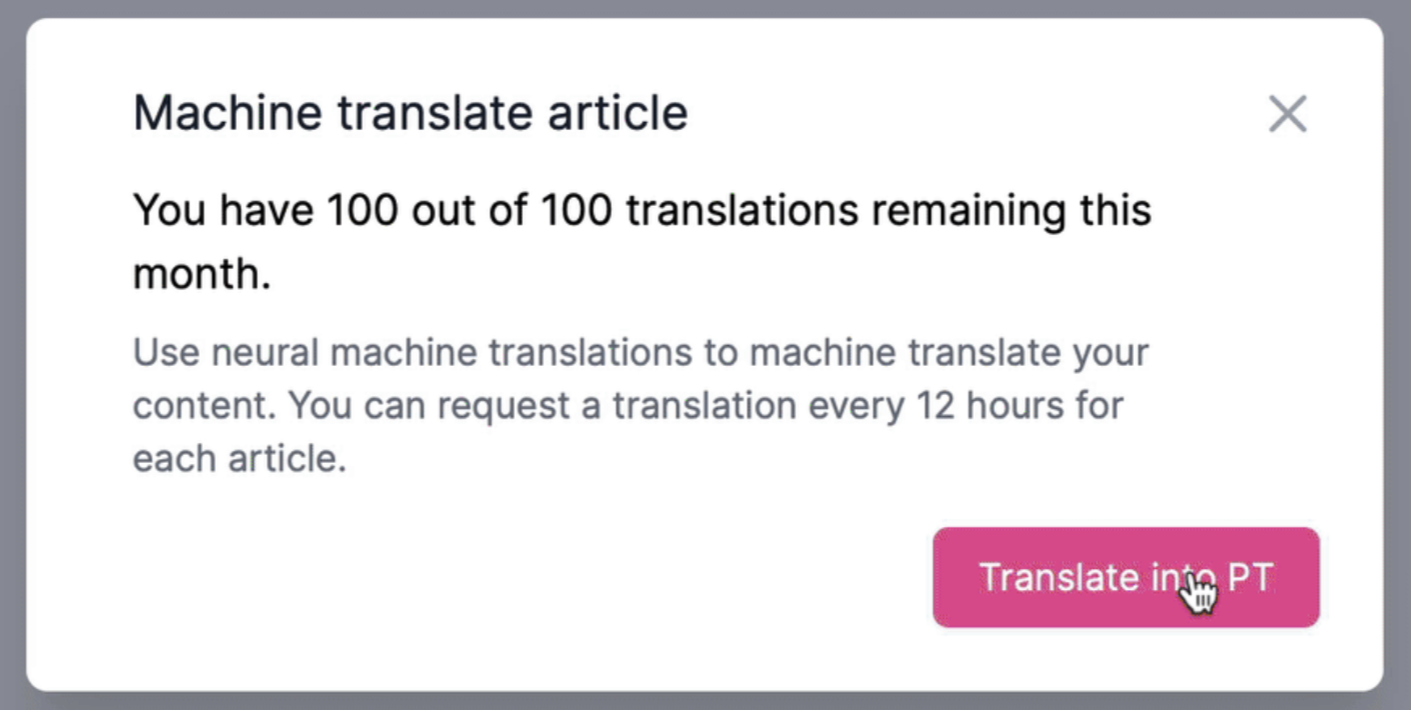
During article translation
When you're ready to translate your article, a popup displays your remaining credits.
In your account settings
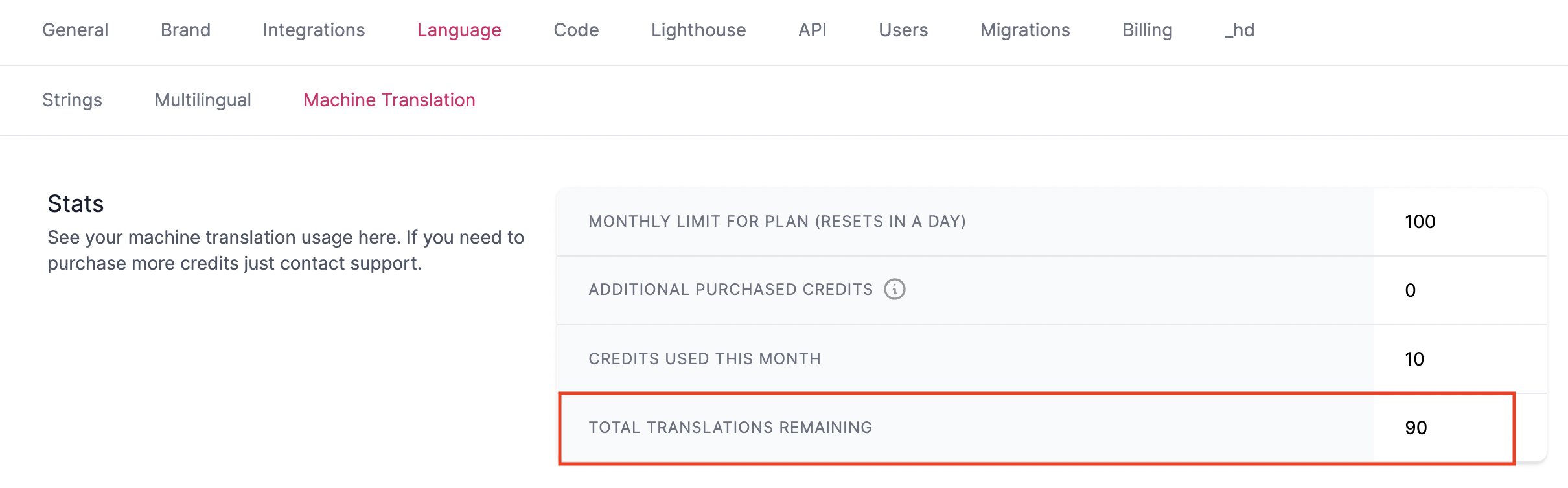
You can check your current balance anytime from settings.
- Head to Settings > Language > Machine Translations
- Check balance under Total Translations Remaining
Purchasing Extra Machine Translation Credits
Need more credits? You can purchase additional one-off machine translation credits that never expire, right from your dashboard 🦾
Extra credits are sold in packs of 100. Check current pricing on our pricing page.
- Head to Settings > Billing
- Scroll to Machine Translations and click Buy more credits
- You'll be redirected to the Billing portal
- Select your quantity by clicking Qty: 100
- Enter your card details and click Pay
- Your balance will be topped up with non-expiring credits 🎉