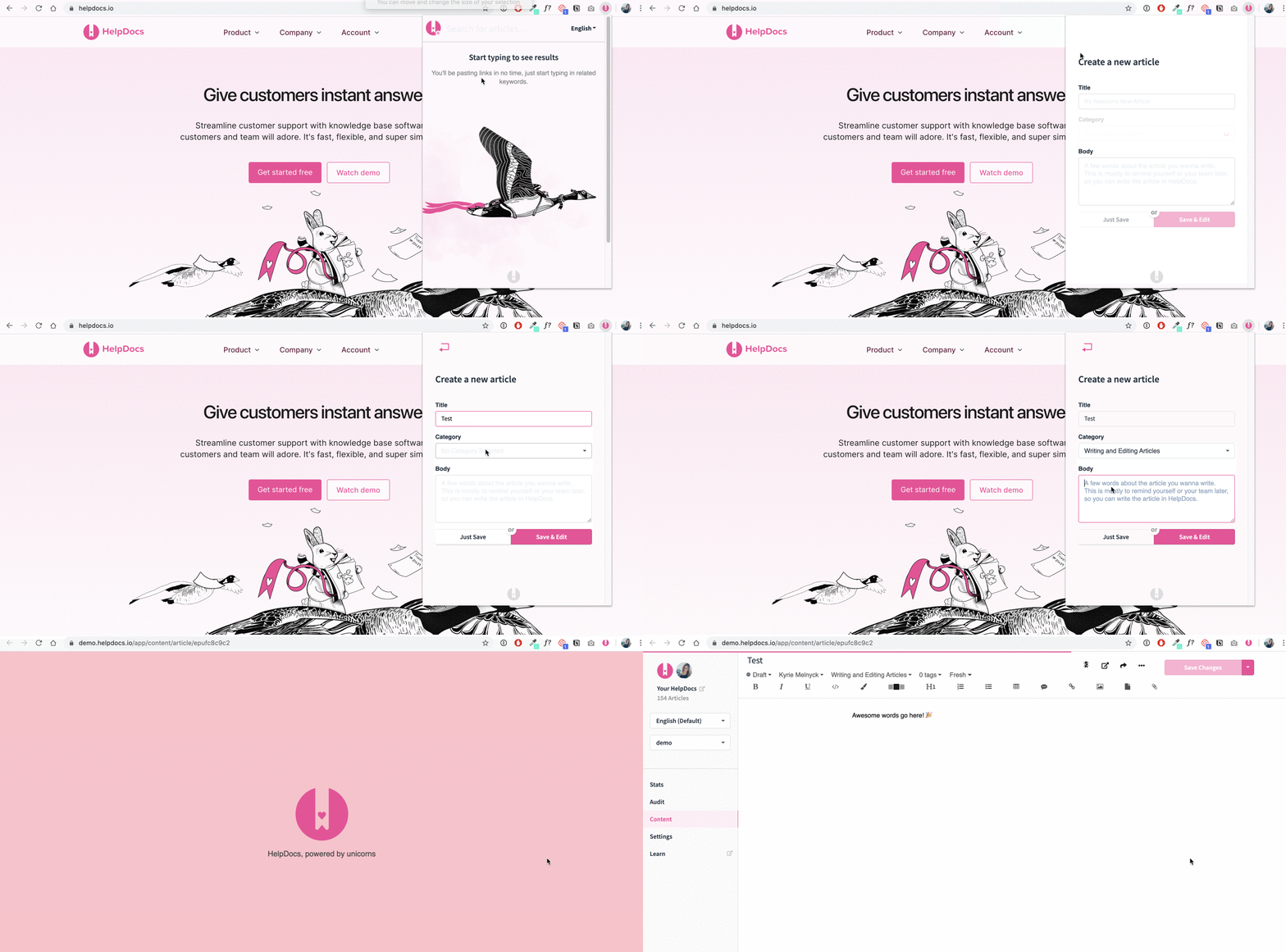
You can create articles from the Chrome extension if you've permission. This is great for quickly jotting down ideas for later or starting an article from anywhere on the web. ✍️
Creating a New Article Within the Chrome Extension
- Click the action dropdown
- Select Create article
- Fill in your Title, Category, and Body
- Hit Just Save to edit it later in your account
- Hit Save & Edit to go straight to editing your article