
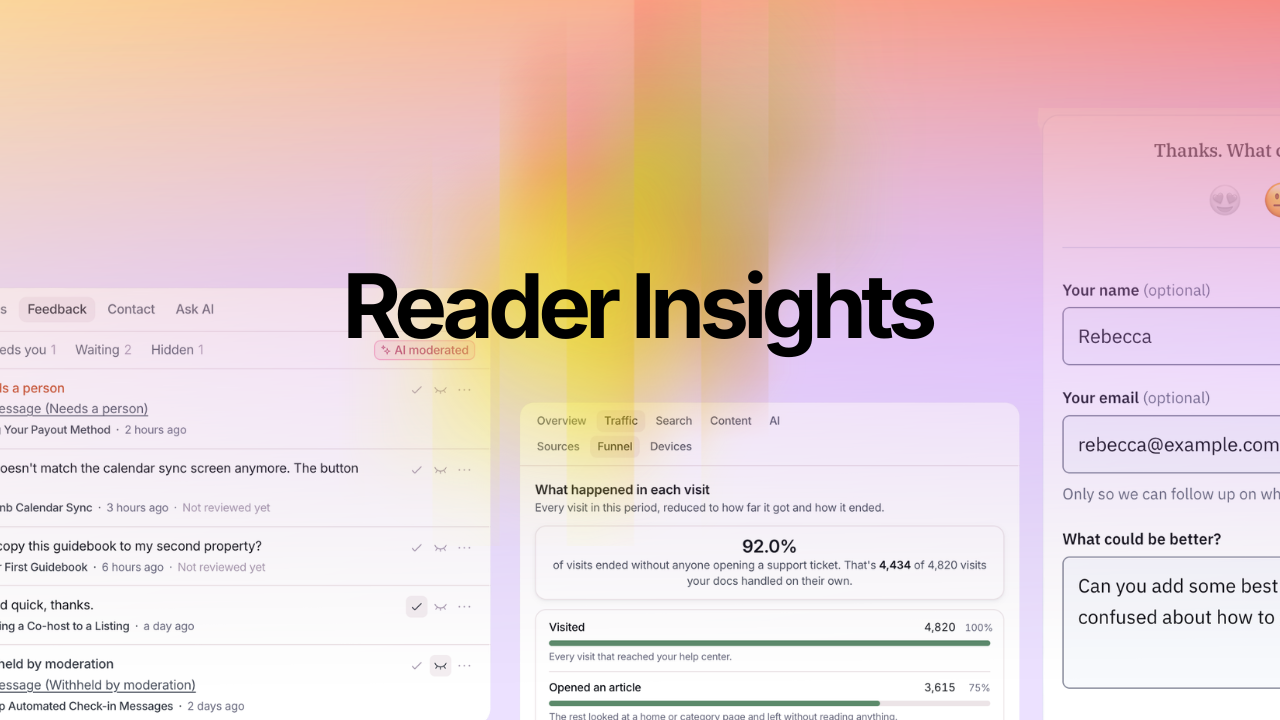
A thumbs-down tells you an article didn't help. It doesn't tell you why, so you're left rereading the article and guessing.
Reader Insights fixes that. It's a set of tools that show where readers get stuck, what Ask AI told them, and what they'd change, so you know exactly which article to fix and how.
Written feedback is here
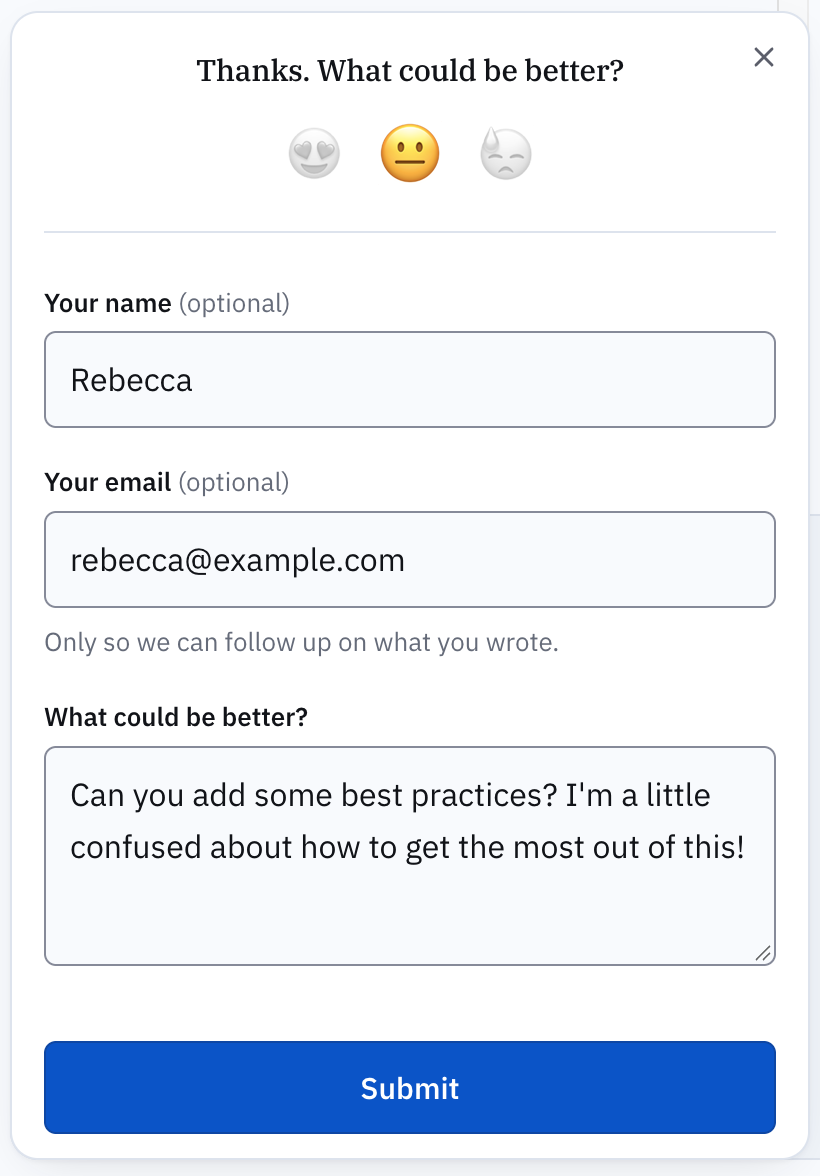
When a reader picks a face at the end of an article, they can now write what could be better. "Step 3 doesn't match the new screen" is something you can fix in five minutes. A thumbs-down isn't.
- Comments in their own words, on your help center and in the Lighthouse 2 widget.
- Follow up if you want to. Ask for an email address, make it optional, or don't ask at all.
- One clear queue in Insights > Feedback, with filters for what needs you, what's waiting, and what's hidden.
AI feedback moderation
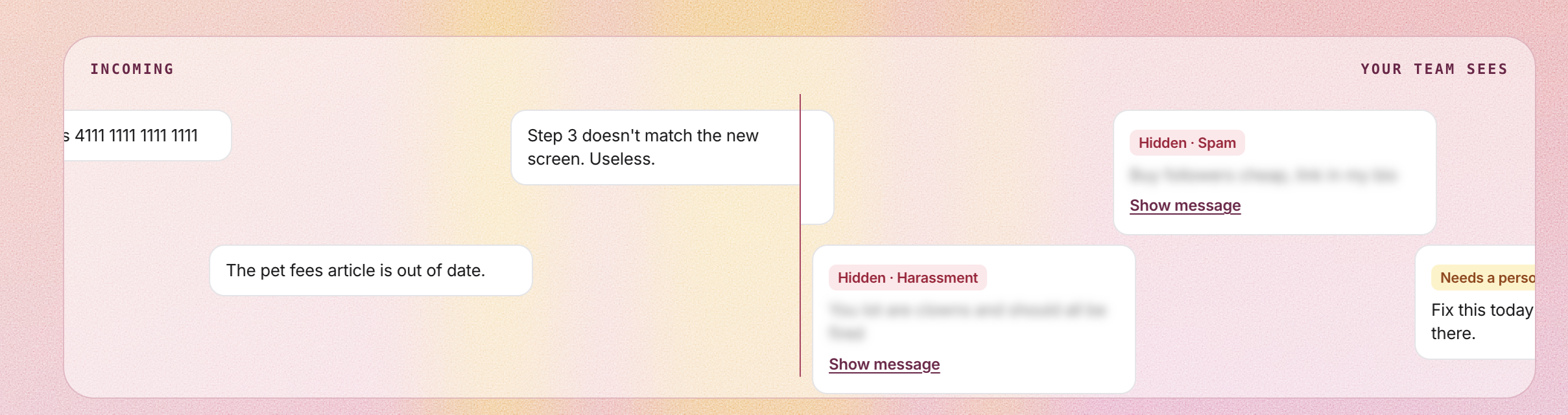
Anyone can type into a feedback box, and sometimes they type something...well, unpleasant. AI moderation reads every message before your team does.
- Abuse, spam, and personal details like card numbers are held back behind Show message. Nothing is deleted.
- Threats, or a sign the writer may be at risk, are marked Needs a person, so someone sees them.
- Criticism stays visible, however blunt, because that's the feedback you asked for.
A person's choice always replaces the AI's. It uses no AI credits, and messages aren't used for training.
Advanced stats: see where readers go
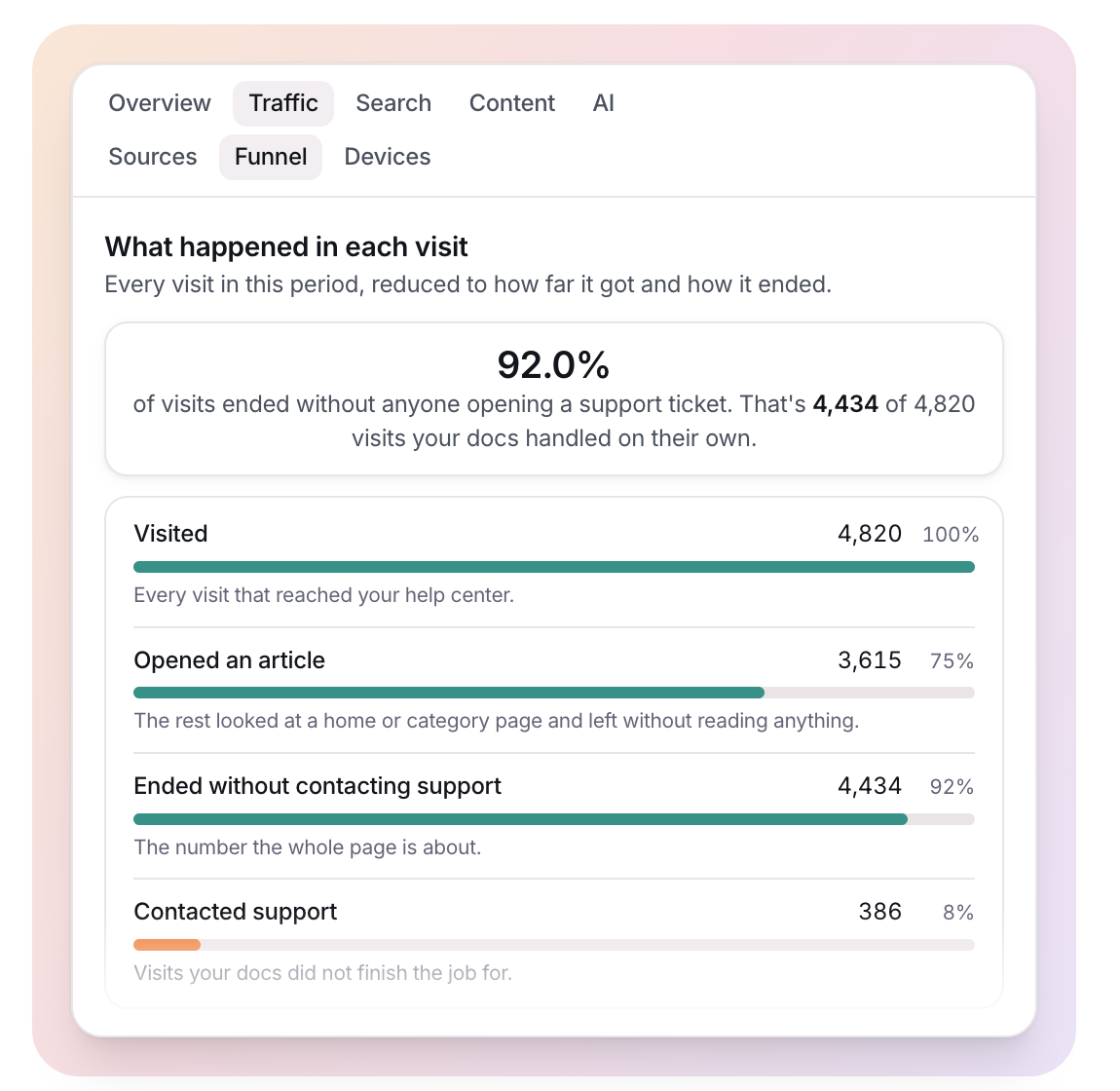
The new Funnel follows every visit from the first page to the last, and shows which ones ended with a support ticket.
- Dead ends: the last article people read before they contacted support
- Search quality: searches people reworded or gave up on
- Sources and devices: where readers come from, including AI assistants, and what they read on
Ask AI review
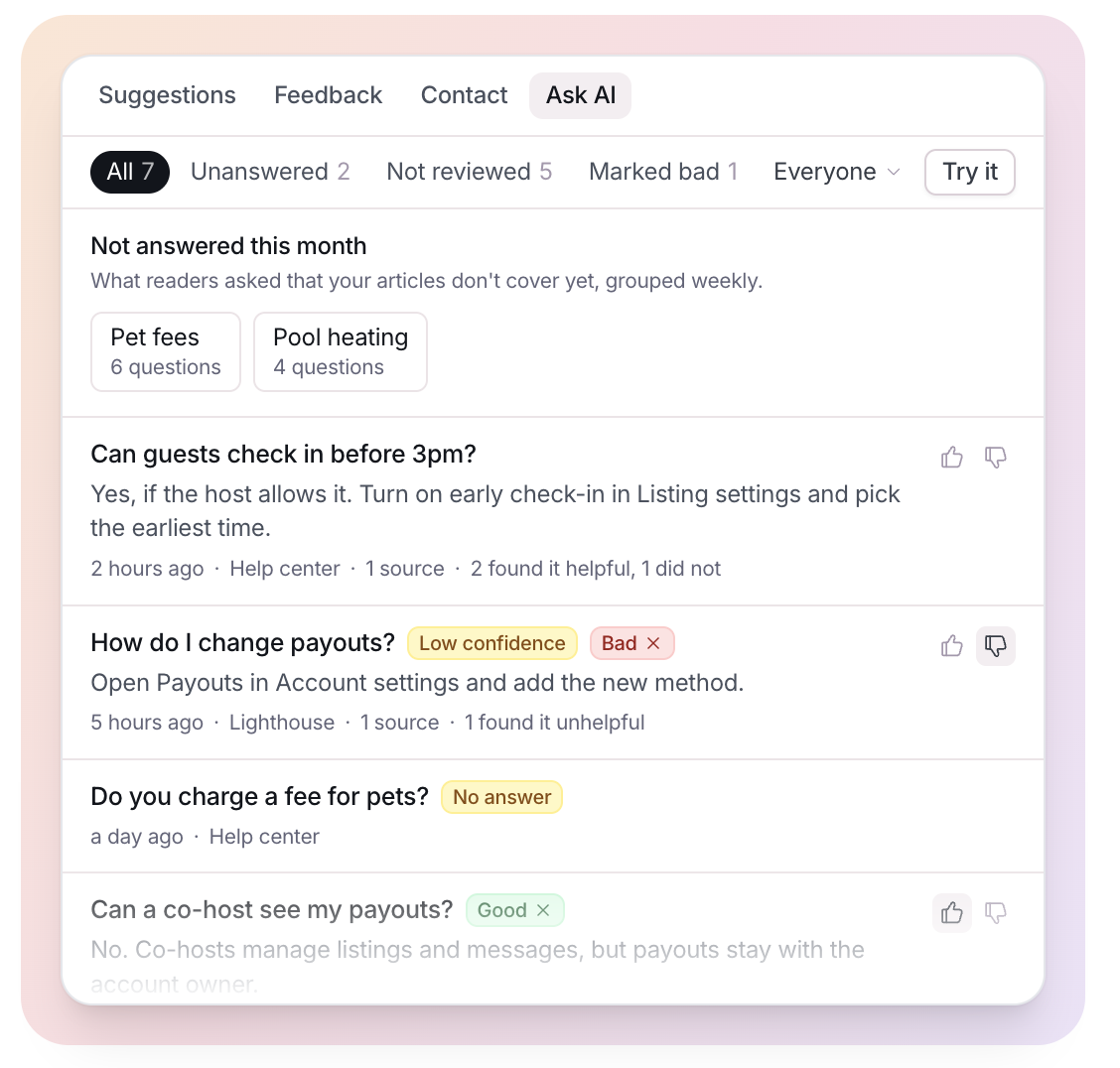
If you've got Ask AI, you might wonder what answers people received.
We now surface these insights. Read every question readers asked Ask AI and the answer they got, with the articles it used.
Mark answers good or bad, and see the topics your articles don't cover yet. Questions that may be abusive are folded away until someone who can change settings chooses to look.
Cookieless analytics
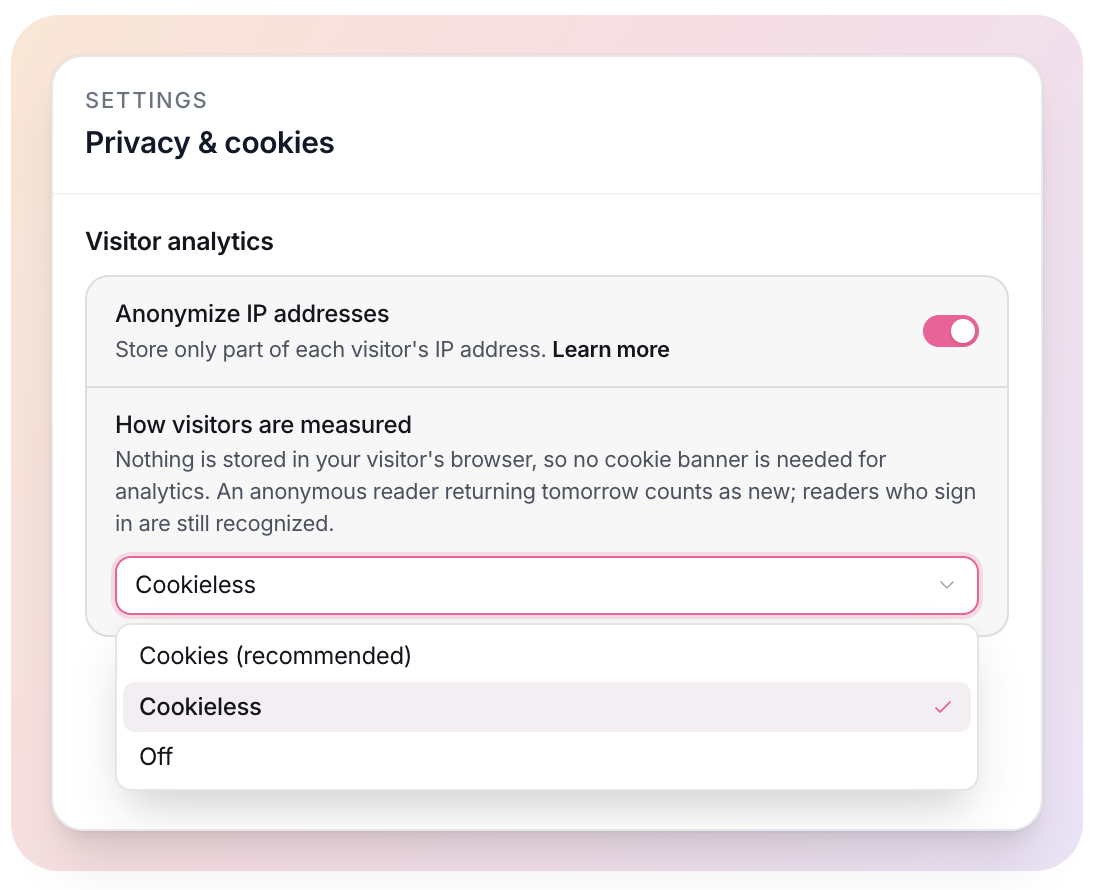
Pick Cookieless in Settings > Privacy & cookies and Stats stops storing anything in your readers' browsers, great for compliance.
The trade-off: an anonymous reader who comes back tomorrow counts as a new visitor. Readers who sign in are still recognized.
Start with written feedback. Switch it on, give it a week, and read what comes in. It's the quickest way to find the article that's quietly sending people to your support team.