

Wanna make your HelpDocs look super awesome? Try out some of our styles.
This is an article about the Classic text editor. We recommend using our Blocks editor. Learn more about how to upgrade yours here ✨
If you need to add snippets of code, that's super simple too with our automatic code syntax highlighting. Check out our HelpDoc on that here.
Inserting Note, Tip, and Warning Callouts
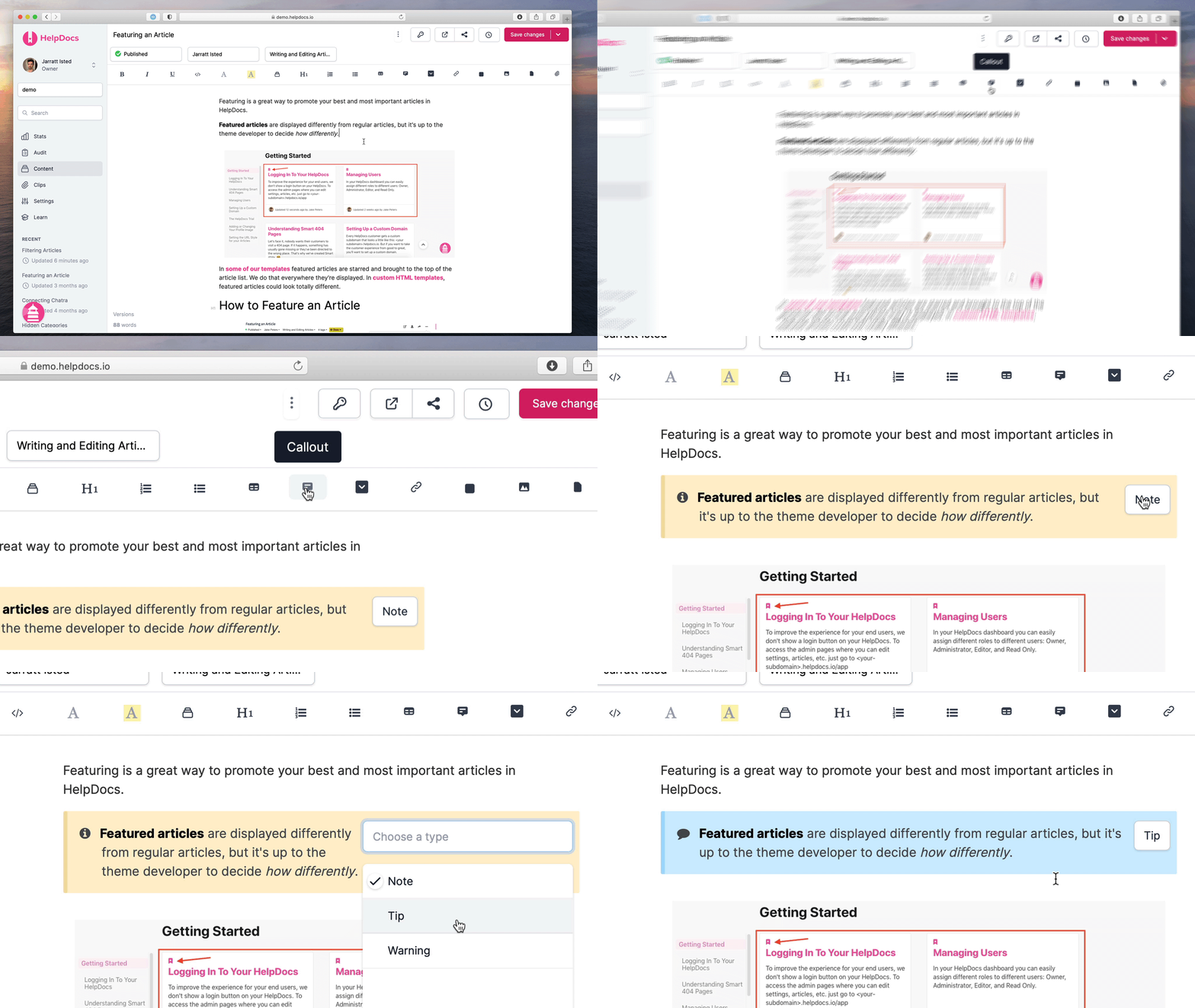
- In the article editor press the Callout button in the article toolbar
- From the inline dropdown, select either Tip, Note, or Warning
- Hit Save Changes
Inserting a Callout Within an Ordered List
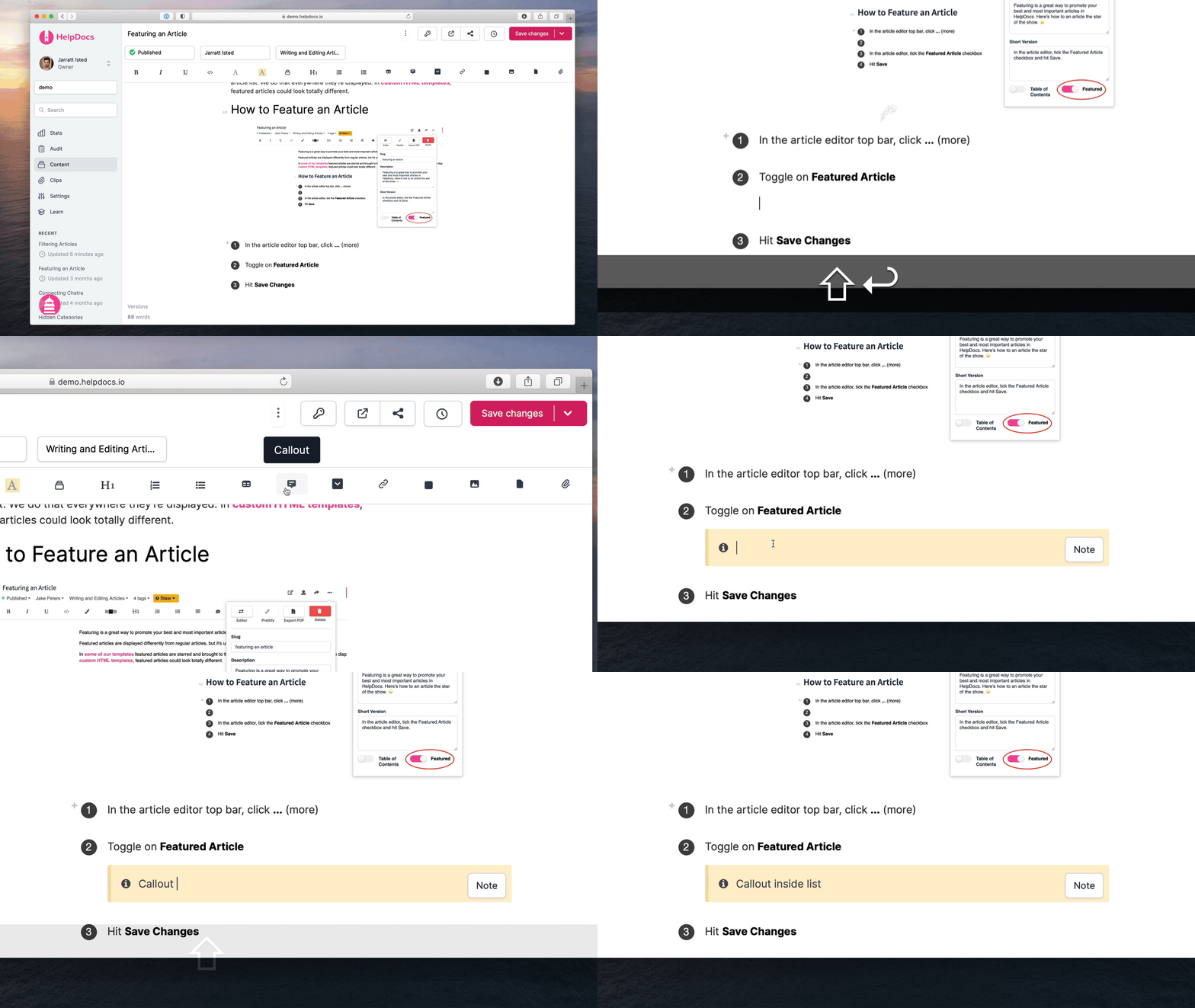
- At the end of the ordered list line press Shift + Enter
- Insert your callouts as normal
- Press enter twice to trigger the next number