Understanding the Readability Score
In the article editor you'll see a readability score. This is a measure of how complex your article is to understand. 1 is super easy to understand, whereas 14 is very difficult.

Head to any article in the editor and you'll see a Readability Score in the sidebar. This is a measure of how complex your article is to understand.
We use the Automated Readability Index to calculate these scores. Each article gets a score from 1 to 14. The score corresponds to an age group and grade level. Check out the table below for a full list.
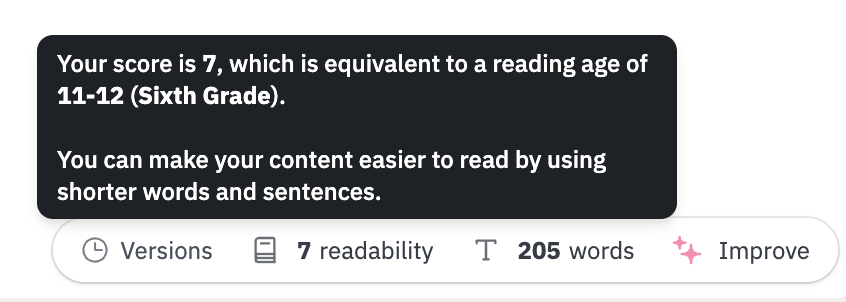
The easier your articles are to read the more useful they'll be. And when your customers can find what they need quickly, everyone wins 🎉 Want help improving your scores? Check out Understanding Improve with AI for automated suggestions, or read Writing Clear and Digestible Knowledge Base Articles for general tips.
Readability Score Reference Table
Score | Age | Grade Level |
1 | 5-6 | Kindergarten |
2 | 6-7 | First Grade |
3 | 7-8 | Second Grade |
4 | 8-9 | Third Grade |
5 | 9-10 | Fourth Grade |
6 | 10-11 | Fifth Grade |
7 | 11-12 | Sixth Grade |
8 | 12-13 | Seventh Grade |
9 | 13-14 | Eighth Grade |
10 | 14-15 | Ninth Grade |
11 | 15-16 | Tenth Grade |
12 | 16-17 | Eleventh Grade |
13 | 17-18 | Twelfth Grade |
14 | 18-22 | College |
What did you think of this doc?
Switching the Editor Mode
Deleting an Article
