

Written feedback is checked by an AI model before it reaches your team. This keeps spam and abuse out of view, and it happens without you doing anything.
How moderation works
A background job checks new written feedback every few minutes. Each message ends up in one of three places.
Outcome | What happens |
|---|---|
Shown | The model approves the message, and it stays visible as normal feedback. |
Hidden | The model finds abuse, spam, or personal data. The message moves to Hidden, folded away until someone chooses to show it. |
Needs a person | The message suggests a threat or that the writer may be at risk, or it couldn't be checked. It stays under Needs you, marked Needs a person, for someone to read. |
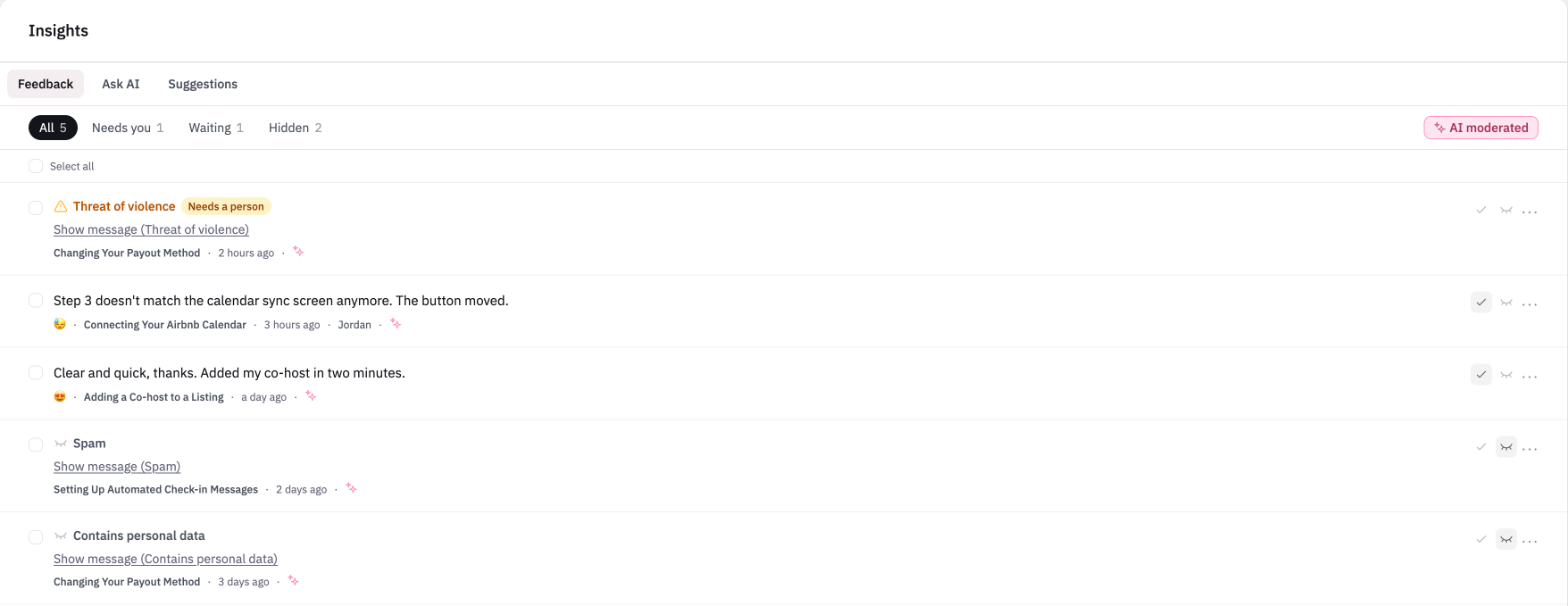
Only people who can view all feedback see messages that are waiting, hidden, or need a person. Everyone else sees feedback once it has been approved.
Which messages are checked
Moderation covers written feedback that readers leave on your Knowledge Base. That includes feedback sent from your help center and from the Lighthouse 2 widget.
Moderation only runs when reader feedback is switched on for your account. It also doesn't run if you turn off AI moderation under Reader feedback in Settings.
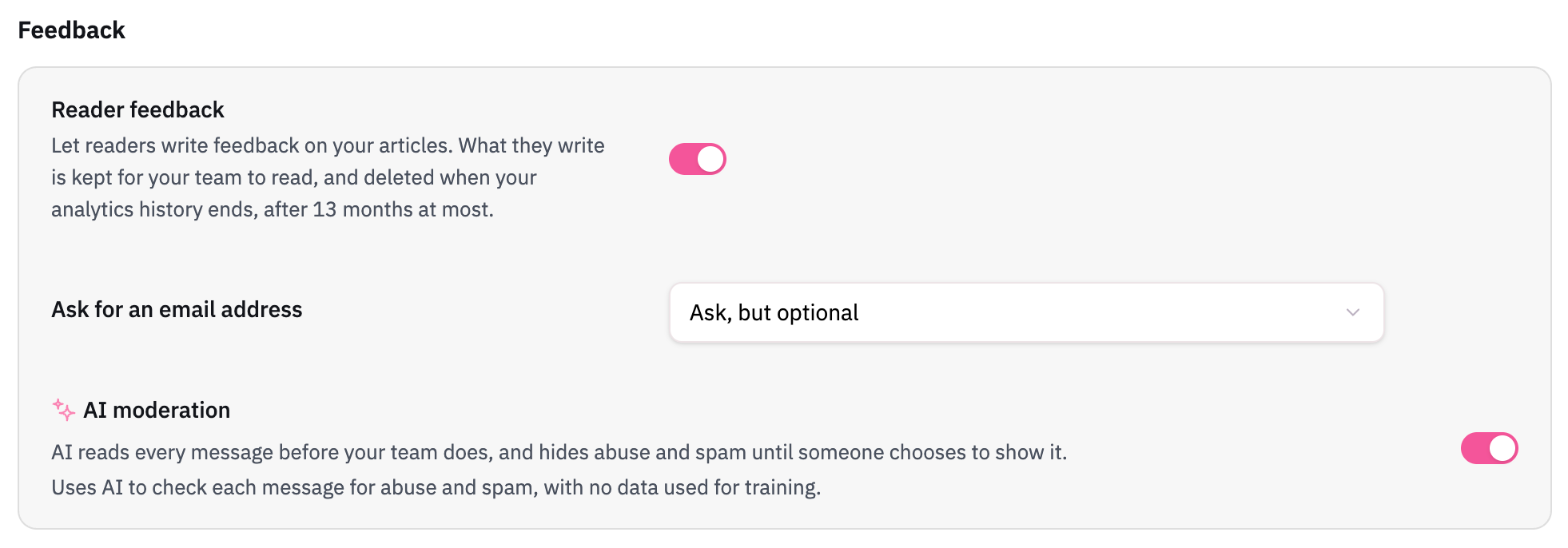
Moderation doesn't use AI credits, so checking feedback won't reduce your balance.
Ask AI questions
Questions readers ask Ask AI are checked in a similar way. A flagged question is folded away behind a note that reads Hidden: may be abusive, with the reason in brackets. Only people who can change settings can reveal the text or mark a flag as wrong. Questions are only checked once your data processing agreement is signed or opted out of.