

Cookieless analytics lets you measure visits to your Knowledge Base without storing anything in your readers' browsers. It's a privacy-friendly option that still gives you useful Stats.
Your three analytics modes
You choose one mode for your account. Each one records a different amount of visitor data.
Mode | What it does |
|---|---|
Cookies (the default, recommended) | Stores two first-party cookies in the reader's browser. |
Cookieless | Stores nothing in the browser. Instead, HelpDocs creates a daily salted hash from the account, IP address, user agent, and host. Visits join up within the same day only. |
Off | Records no visitor analytics. Stats stops collecting from the moment you save, and the stats you already have stay where they are. |
How cookieless counts visitors
Within a single day, a reader's visits are linked together. Sessions are counted in 30-minute windows, and readers who share a network and browser can count as one visitor.
Across days, the salt changes, so anonymous readers can't be followed from one day to the next, even by HelpDocs. Readers who sign in are still recognized. Expect returning-visitor numbers to look lower than they did in cookies mode.
Switching modes
- Head to Settings > Privacy & cookies.
- In Visitor analytics, find How visitors are measured.
- Choose Cookies, Cookieless, or Off, then save.
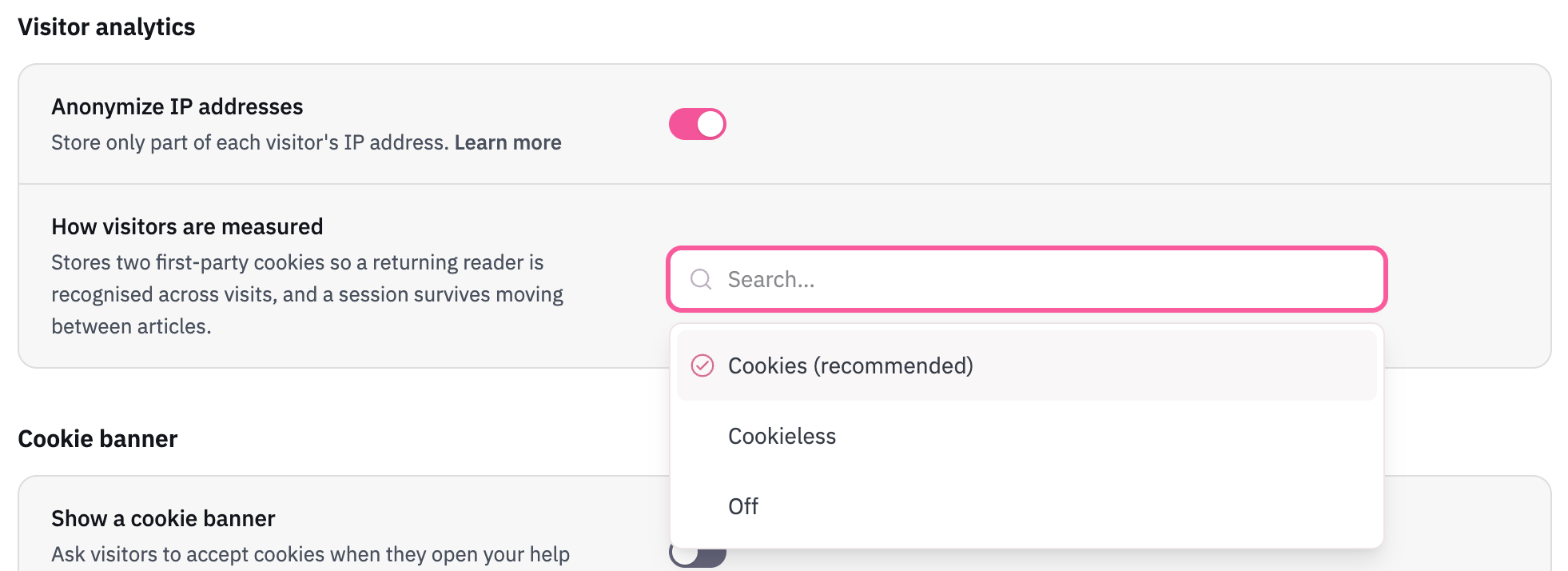
A change only affects what's recorded from that point on. Data you've already collected stays as it is.
If you use cookies, some readers may need to agree to them first. Check the rules that apply to your audience, and see Adding Cookie Consent for setting up a banner.