

Embeddables help you add interactive bits of other apps to your HelpDocs. You can embed spreadsheets that automatically update, audio files you can play, and a whole lot more.
Adding Embeddables
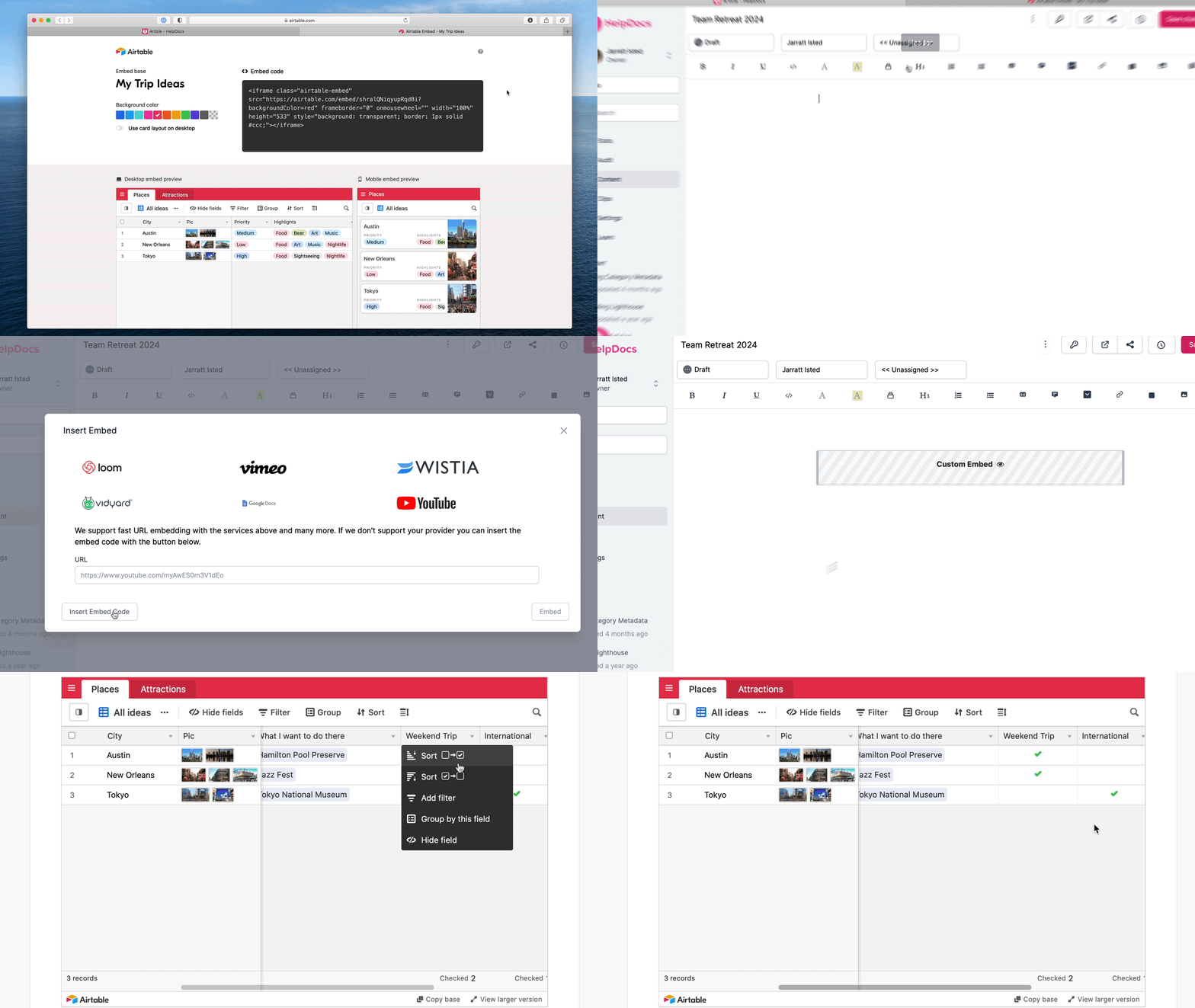
- Copy the embed code from a providerFor this example I'm using Airtable to insert an example spreadsheet
- In the HelpDocs article editor click the Block button in the toolbar
- Click Embed
- Click Insert Embed Code
- Paste the embed code into the HTML snippet field
- Click Insert HTML
- Hit Save Changes
You'll now get a fancy embed like the one below that customers can use without leaving your docs.