

The Readability panel shows how easy your article is to read, and points at what's making it harder. It updates as you write, works on every plan, and doesn't use AI or AI credits.
Understanding the Readability Panel
- Head to Articles and open an article in the editor.
- Click the
 issues count at the bottom of the editor.
- A panel opens and shows your article's level (Difficult, Tricky, or Easy). You need at least 100 words to see one.
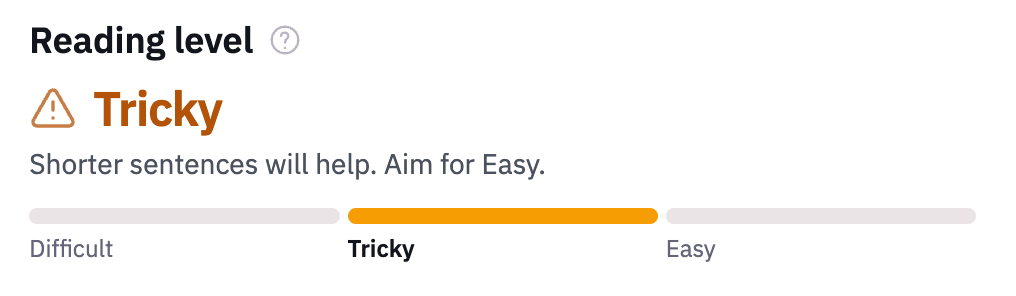
- You'll get suggestions to improve your readability score. In the Block editor, each issue's underlined in your article. Click one in the panel to jump straight to it.
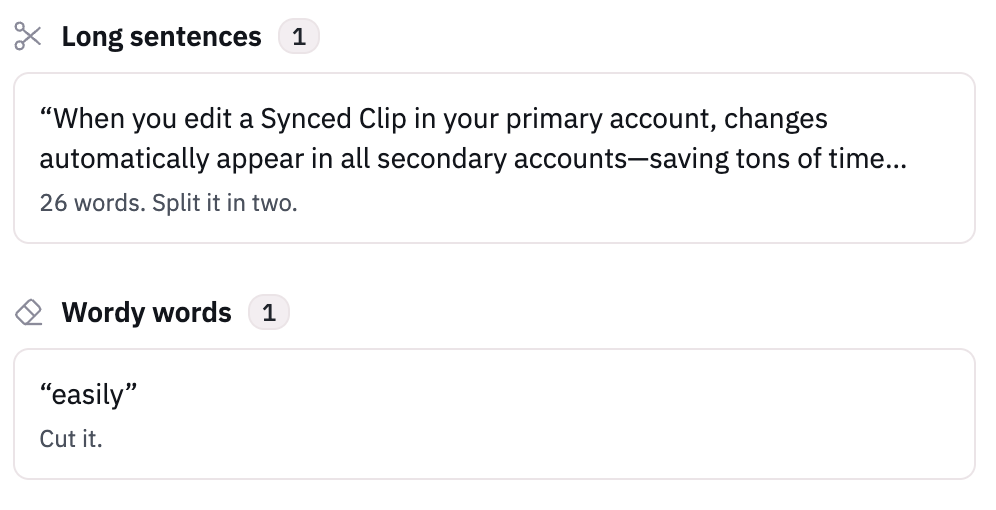
- Once resolved, the suggestion will 🌬️ poof away.
How the Reading Level Works
We use LIX, a standard readability formula that works across most languages. It looks at two things:
- Sentence length: the average number of words in a sentence.
- Long words: the share of words longer than six letters.
Add them together and you get a score, where lower is easier. We turn that into one of three levels:
Level | Score | What it means |
|---|---|---|
Easy | 40 or less | Right where a help article should be. |
Tricky | 41 to 50 | Shorter sentences will help. |
Difficult | Over 50 | Tough going for most readers. |
A few things to know:
- You'll see a level once your article has at least 100 words. Below that, one sentence can swing it too much.
- Headings, code, and tables aren't counted.
- Words in bold or links still count toward sentence length, but never as long words. They're usually button labels and product names, which you can't shorten.
What Gets Flagged
Flag | When it's flagged |
|---|---|
| More than 300 words in a row without one. |
| More than 5 sentences, or more than 120 words. |
| More than 25 words. |
| Phrases like "is configured", where it's not clear who does it. English only. |
| Phrases with a shorter option, like "in order to" or "utilize", and words like "simply" that can sound condescending. English only. |
 Needs a heading
 Long paragraphs
 Long sentences
 Passive voice
 Wordy words
When the Level and the Issues Don't Match
The reading level and the list of issues measure different things. The level is an average across the whole article. The issues are specific lines that go over a limit.
So the two won't always agree:
- Tricky or Difficult with no issues: nothing crosses a limit on its own, but it adds up. Lots of sentences just under 25 words can pull the level down. So can lots of long words. Neither needs a flag. The panel tells you which of the two it is.
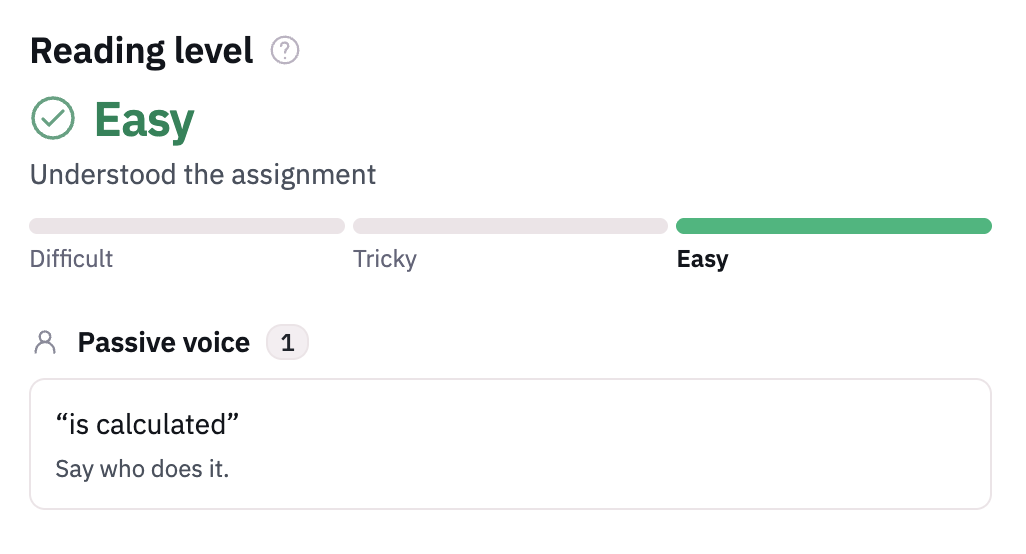
- Easy with issues: one long sentence or a wordy phrase doesn't move the average much, but it's still worth fixing.
These checks are deliberately simple, so they only catch what fits a clear rule. For suggestions that look at the whole article, like what's missing, how it's structured, and whether it matches your style guide, use Improve with AI.
Multilingual Articles
If you use multilingual, each translation is checked on its own, in its own language. Sentences and words are split the way that language writes them, so the counts hold up in languages like Arabic, Hebrew, and Hindi too.
We'll flag long sentences, long paragraphs, and missing headings in every language. Passive voice and wordy words are English only, so a translation won't get told to change a word that's right in its own language.
Language | How it's handled |
|---|---|
Most languages | The same three levels as English. |
German, Dutch, and Finnish | These build long words by joining short ones ("Kontoeinstellungen" is "account settings"), so plain writing still has lots of long words. Their levels are a little more forgiving, so you're not marked down for grammar. |
Hebrew and Arabic | Words are short, because small words like "the" and "and" join onto the next one. That can make the level look easier than the article really is, so lean on the long sentence and paragraph checks. Excerpts in the panel read right to left. |
Chinese, Japanese, Thai, and others without spaces | There are no spaces between words to measure, so there's no reading level. Long sentences and paragraphs are still flagged. |