

AI credits are the currency that powers HelpDocs' AI features. Each account gets a monthly credit allowance that lets you generate new articles, create meta information, and rewrite existing content. Different features consume varying amounts of credits.
Credit Usage Breakdown
Different AI operations require different amounts of credits. Here's what you can expect:
Operation | Credits Required |
10 credits | |
7 credits | |
Rewrite selected text with AI | 1 credit per 250 words selected (minimum 1) |
Generate a diagram with AI | 1 credit |
2 credits | |
Meta Information Generation (description or tags) | 1 credit |
1 credit | |
1 credit | |
5 credits per analysis 1 credit per apply |
Understanding Your Credit Allowance
Your monthly AI credit allowance is determined by your HelpDocs subscription plan. You can view your current credit balance:
- Head to Settings > AI
- Scroll down to Usage
- The table shows your Monthly allowance (and when it resets), Purchased credits, Credits used this period, Set aside for AI work in progress, and Credits you can use now.
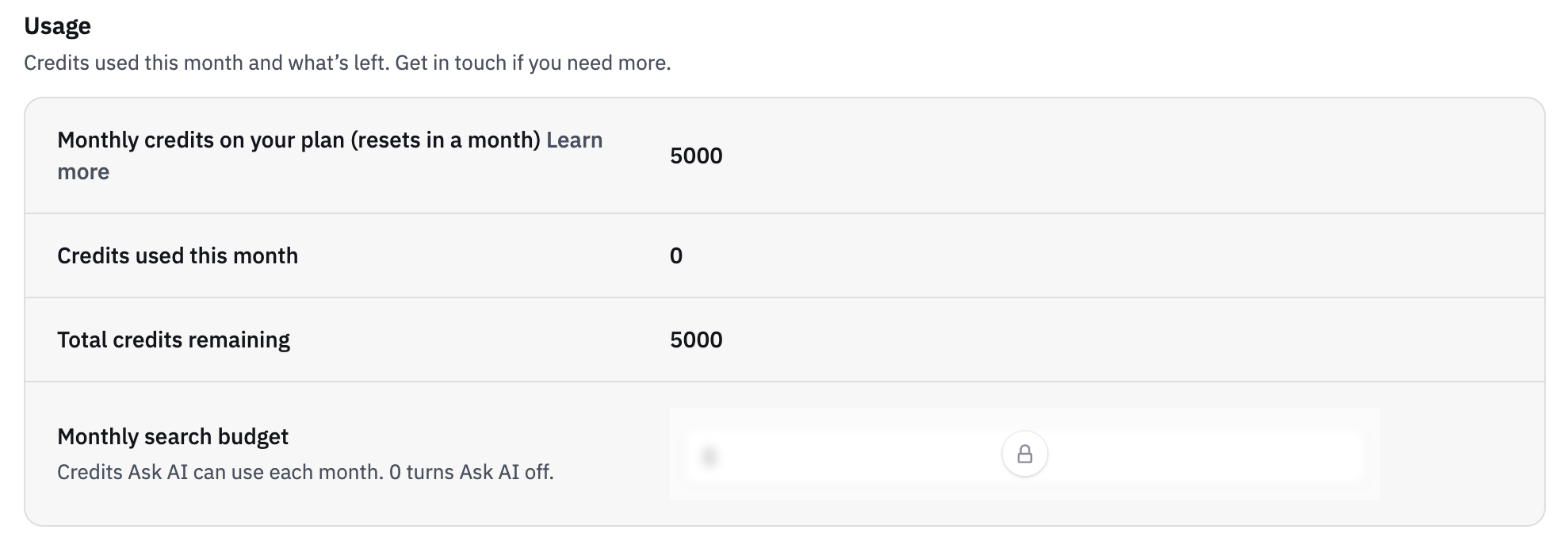
Your monthly allowance is used first. Purchased credits only start to go down once it runs out. Purchased credits that expire soonest are used first.
Your monthly allowance resets on your billing date. If you don't have a subscription, it resets on the 1st of the month. Unused allowance won't roll over, so don't be shy about using it ✨
Credits Set Aside for Work in Progress
Before an AI action runs, HelpDocs sets aside the most it could cost. When it finishes, you're charged what it actually used and the rest goes back. This is the Set aside for AI work in progress line in the Usage table.
If your available credits can't cover an action, it's refused and you'll see a message that you don't have enough AI credits. Your balance never shows below 0.
HelpDocs Agent runs set aside their budget while they run. They leave a small reserve so Ask AI and short actions keep working.
Credit History
Head to Settings > AI and scroll to Credit history. It lists credits added and used, newest first. Usage is grouped by day and feature. Click Show more to load older entries.
If You Owe Credits
Sometimes an AI call costs more than the estimate shown in the app ("up to N credits"). Estimates are reservations, not caps. You are charged the full cost of the call. If your balance can't cover it, the balance goes below zero and the difference is owed.
- While you owe credits, AI features are refused before they run.
- The AI settings page shows "You owe N credits; they come off your next allowance."
- Your next monthly allowance, purchased credits, or credits granted by our team pay the debt first.
Agent runs and other AI work with a credit budget stop at the budget between turns. A last turn that goes past it is still charged in full.
Need More Credits?
Running low on AI credits? You have a couple of options:
- Upgrade your plan for a higher monthly allowance
- Contact us to discuss custom credit packages
- New accounts can earn 1,000 bonus credits by finishing the Getting started checklist. See The HelpDocs Trial.